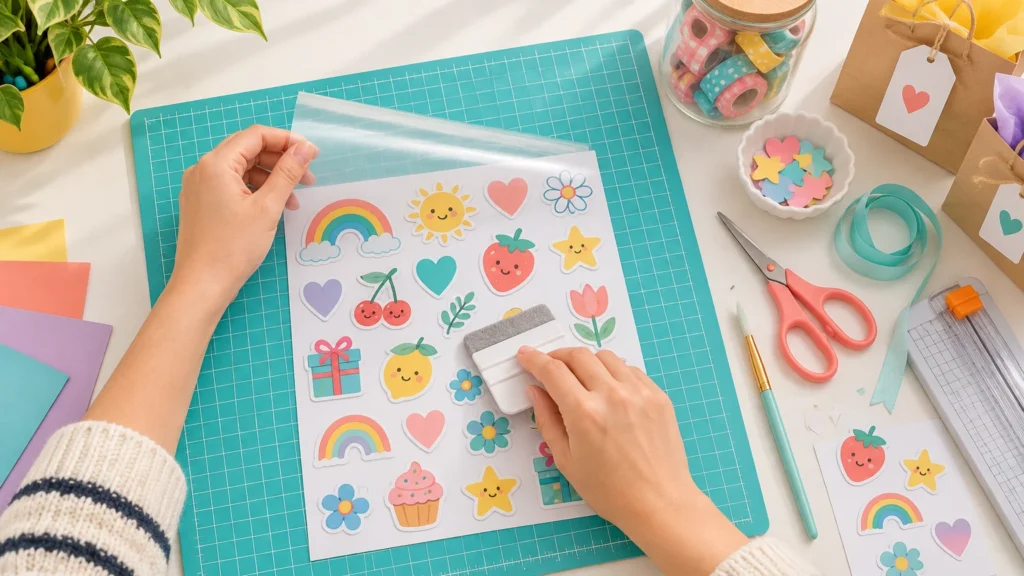
Choose matte stickers for planners, calendars, journals, and other projects where you want easy viewing, a paper-like mood, or space to write. Choose gloss for colorful illustrations, photo stickers, gift seals, and decorative pieces that should look bright and polished.
That is the quick answer, but finish is only one part of the decision. A glossy paper sticker and a glossy laminated vinyl sticker can behave very differently around water, pens, cutting machines, and daily handling. Start with the project, then choose the material and finish together.
TL;DR: Matte is practical; gloss brings the visual pop
- Pick matte for writing, reduced glare, subtle colors, busy planner spreads, classroom labels, and easier Print Then Cut scanning.
- Pick gloss for saturated-looking artwork, photo-forward designs, shiny accents, party favors, and decorative stickers that do not need frequent writing.
- Do not use sheen as a shortcut for durability. Paper, vinyl, adhesive, coating, and laminate determine what the sticker can withstand.
- Test your exact pen, printer settings, and cutting-machine registration before committing an entire sheet.
Matte vs gloss stickers at a glance
| Decision | Matte stickers | Gloss stickers | Best question to ask |
|---|---|---|---|
| Writing | Often a natural choice, but verify the stock | May accept some pens or markers, depending on coating | Which pen must work on this exact material? |
| Glare | Lower glare under lamps and windows | Reflects more light | Will the project be viewed under overhead lighting? |
| Color and style | Soft, understated, paper-like appearance | Shiny appearance with stronger perceived contrast | Should the sticker blend in or stand out? |
| Touch | Usually subdued and less slick | Often smoother or slicker | How should the page or object feel in the hand? |
| Durability | Depends on paper, film, coating, and adhesive | Also depends on construction, not shine | Is the product documented as water-resistant or waterproof? |
| Print Then Cut | Non-reflective stock is generally easier to scan | Reflections may interfere with registration scanning | Has this material been tested with my machine? |
Choose matte when the sticker needs to work with the page
Matte stickers sit comfortably in journals and planners because they do not compete with handwriting, ruled pages, or paper textures. Under a desk lamp or bright classroom lighting, their lower glare also makes small dates, checklist boxes, and labels easier to see. Canon describes matte print media as less reflective and visually softer, while glossy media reflects more light and tends to increase perceived contrast and vibrancy. Ink, coating, and the whiteness of the base material still affect the final color. Canon’s discussion of print media and longevity provides useful context for those differences.
For a weekly planner, I would use matte for appointment headers, habit trackers, and writable meal-planning boxes. In a scrapbook, matte works nicely for faux postage, vintage labels, captions, and shapes meant to look like part of the paper composition rather than a shiny layer placed on top.
Matte does not automatically mean writable, however. Avery identifies its matte white paper labels as compatible with permanent marker or ballpoint pen, but that description applies to the specified product. Always check the listing and make a tiny pen test. Avery’s material comparison also shows why the exact stock matters: some glossy labels accept permanent marker or ballpoint pen too, with drying time required for applicable products.
Choose gloss when the sticker is part of the decoration
Gloss is the confetti finish. It catches light, sharpens the impression of contrast, and gives bright graphics a sleek surface. It is especially effective for illustrated animals, tiny food icons, photo stickers, gift seals, party favor labels, and bold shop packaging.
In a journal, use gloss selectively: one glossy focal sticker surrounded by matte paper pieces can create more impact than a whole page of reflections. Gloss is less convenient when you need to read tiny text beneath a lamp or write on the sticker immediately. If writing matters, test the intended pen and allow the ink to dry before touching it.
For a coordinated craft set, you can mix finishes deliberately. Try matte labels for names and instructions, then glossy stickers for decorative icons. If you would rather order a consistent finish than print and cut every sheet at home, professionally produced custom stickers and labels can make sense for party sets, shop packaging, or repeat projects.
Gloss does not mean waterproof
This is the material trap worth avoiding: shine is an appearance, not a durability rating. A glossy paper sticker may still be intended only for dry indoor use. A vinyl sticker with a protective laminate may tolerate moisture and handling much better. Avery, for example, distinguishes ordinary paper labels from waterproof film and vinyl constructions; its glossy white vinyl uses a UV coating and is described as resisting water, scuffing, tearing, and abrasion.
For a journal or gift tag, simple printable sticker paper may be perfectly suitable. Cricut describes its printable sticker paper as paper-like and intended for dry applications such as notebooks, homework rewards, and gift tags. For a bottle or frequently handled container, look for documented water resistance, adhesive performance, and care instructions rather than choosing by finish alone.
Cricut’s waterproof sticker system pairs printable vinyl with a separate laminate layer and is described as waterproof and UV protective, but the company still recommends handwashing decorated items. It also notes that fading varies with the printer ink used. Cricut’s waterproof sticker instructions explain the construction and care limits. If you are adding your own protective layer, this guide to laminating stickers without bubbles will help preserve both the surface and cut alignment.
Matte is usually friendlier to Print Then Cut sensors
Glossy and reflective materials can create another problem before the sticker ever reaches your planner. Cricut says reflections may interfere with the machine’s ability to read Print Then Cut sensor marks. Non-reflective material is therefore the safer starting point, although supported specialty materials and newer machines may offer additional options. Test the exact combination rather than assuming every shiny sheet will behave the same way. Cricut’s Print Then Cut guidance covers current machine and material considerations.
If you are learning the process, begin with one matte sheet and a small design batch. Print, let the ink settle, run the registration scan, and inspect the cut offset before filling a page. Our guide to making homemade stickers with simple materials walks through the beginner workflow. For larger batches, compare that hands-on process with professionally printed stickers for a 100-piece project.
A five-minute finish test before making the whole project
- Print the same small design on one matte and one glossy sample, using settings recommended by the material manufacturer.
- View both samples under the lamp or lighting where the finished project will be used.
- Write on each sample with the actual pen or marker, then check for smearing after the recommended drying time.
- Rub the surface with a clean finger and inspect dark areas for fingerprints, scratches, or ink movement.
- If using Print Then Cut, scan and cut one sample before printing the full sheet.
- For moisture-prone projects, verify the documented material construction and care instructions instead of performing an informal splash test and calling it waterproof.
The practical verdict
For most journals, planners, calendars, and classroom crafts, start with matte. It is calm under bright light, visually compatible with paper, and generally the simpler option for writable layouts and cutting-machine registration. Choose gloss when the sticker itself should be a decorative highlight and writing is secondary.
For mixed projects, there is no need to pick a team. Use matte for information and gloss for delight. Then make one test sheet, check the pen and cut behavior, and let the finished project—not the finish name—make the final decision.